HOW TO

How can I stream a 3D model with 100,000,000 triangles?

You cannot load it, so do not try. Convert it once into a hierarchy of detail levels, put that file on any server that answers byte-range requests, and let the browser fetch and draw only the part of the hierarchy the camera can see. That is how a 100-million-triangle photogrammetry scan opens in seconds on a 16 GB laptop with integrated graphics, with no WebGPU and nothing installed.

THE SHORT ANSWER

Stream a cut of the model, never the model.

  1. Build a multiresolution hierarchy offline. Split the mesh into small patches and simplify them level by level into a tree, keeping every level.
  2. Compress each patch independently so any piece can be decoded on its own.
  3. Serve the result as one file from a plain HTTP host that supports Range requests.
  4. In the browser, pick a cut every frame: refine each branch until its error on screen is below a pixel threshold or it leaves the view. Draw one to three million triangles, no matter the source.
  5. Cap memory with a cache that evicts, and stream textures node by node the same way.

Two ways to get there: build it yourself with the open-source Nexus toolchain using the recipe below, or upload the scan to Submerged Viewer and let it do the conversion, hosting and viewing.

WHY NOT JUST LOAD IT

What 100 million triangles cost as one model.

Loaded wholeCostWhy it fails
Geometry in GPU memory, uncompressed~2.3 GBBefore a single texture. A laptop with integrated graphics takes this from the same RAM the browser is using.
Textures at survey resolutionSeveral GB moreA photogrammetry scan carries thousands of texture tiles. Decoded, they cost 4 bytes per pixel.
One compressed glTF (Draco or meshopt)~1 GB downloadRoughly three minutes on a 50 Mbit/s connection before the first pixel, and it still has to be decoded and fit in memory.
Triangles the GPU must draw each frame100 M × 60 fpsSix billion triangles per second. Integrated GPUs manage a small fraction of that, and most of those triangles are smaller than a pixel.

Every one of these grows with the source. A streaming viewer replaces them with fixed budgets: a triangle count per frame, a byte limit for the cache and a screen-space error target. Those budgets are set per device class and stay the same whether the file behind them holds 20 million triangles or 200 million.

THE ARCHITECTURE

Six parts, and all six are needed.

The full mesh never exists in the client. The GPU only ever sees a pre-selected batch of a few million triangles.

WHAT TO EXPECT

Measured on published scans.

Measured 2026-09-18 with nxsedit.

ScanTrianglesStreamed fileBytes per triangle
Tapadla Chromite Mine40.0 M630 MB16
Maria Concordia Magnesite Mine20.0 M544 MB27
Marie Agnes Mine18.4 M412 MB22
A 100 M scan, extrapolated100.0 M1.6–2.7 GB16–27

DO IT YOURSELF

The recipe with Nexus.

Nexus is the multiresolution toolchain from the Visual Computing Lab at CNR-ISTI, released under a permissive licence, with Corto as its compressor and a JavaScript client that plugs into Three.js. These are the commands and settings we use for our own scans.

  1. Condition the source

    One OBJ (or PLY) with its MTL and textures next to it; merge separate parts first. Re-pack textures so each is a power of two if you want mipmaps later. Avoid UV layouts shattered into thousands of tiny islands: they still work, but they bloat the coarse levels and the top node.

  2. Build the hierarchy

    nxsbuild scan.obj -o scan.nxs -f 16384 -t 1024 -s 0.5 -r 16000 -w 4 -n -c

    -f triangles per patch (smaller means less popping, more overhead), -t triangles in the top node (smaller means a faster first frame), -s decimation between levels, -r RAM in megabytes to use during the build, -n -c drop per-vertex normals and colours when textures carry the look. Add -k to force power-of-two node textures for mipmaps at a memory cost. Expect hours for 100 million triangles and a file a few times the size of the compressed result.

  3. Compress it

    nxscompress scan.nxs -o scan.nxz

    Corto compression, with quantization set as a fraction of each node's own error so coarse levels keep fewer bits. Typically 4 to 15 times smaller than the source geometry plus textures.

  4. Check what you built

    nxsedit scan.nxz -i

    Prints triangle and vertex counts, node count and the depth of the tree. The numbers in the table above came from this command.

  5. Host it where Range requests work

    curl -sI -H "Range: bytes=0-1023" https://example.org/scans/scan.nxz

    You want HTTP/1.1 206 Partial Content and a Content-Range header. A server that answers 200 with the whole file breaks streaming silently: the viewer appears to load forever. Enable CORS if the page lives on another origin, and set long cache lifetimes, because the file never changes.

  6. Load it in Three.js

    <script src="three.min.js"></script>
    <script src="corto.js"></script>
    <script src="nexus.js"></script>
    <script src="nexus_three.js"></script>
    <script>
    var model = new NexusObject('scans/scan.nxz', onLoad, function () { needsRedraw = true; }, renderer, material);
    scene.add(model);
    Nexus.setTargetError(renderer.getContext(), 2);              // screen-space error, pixels
    Nexus.setMaxCacheSize(renderer.getContext(), 1024 * 1024 * 1024); // decoded cache, bytes
    </script>

    The loader asks for the file index, then requests byte ranges as the camera moves. Raise the error target and lower the cache on phones; drop the error target while the camera is still for a sharper picture.

WHAT COST US TIME

Pitfalls you will meet on the way.

OTHER ROUTES

How the alternatives compare.

ApproachWhat it isStreams 100 M?Notes
Nexus + CortoMultiresolution mesh format, open source (CNR-ISTI)YesBuilt for exactly this: single file, byte-range streaming, textures per node, WebGL 1 client. What Submerged Viewer uses. Weakest point is texture quality of the coarse levels with fragmented UVs.
3D TilesOGC standard for tiled geospatial contentYesStandard and well supported (Cesium, three.js renderers). Many files instead of one. In our own comparison on a 20 M cave mesh, the tileset was several times larger and noticeably slower than the Nexus build of the same data.
PotreeOctree streaming for point cloudsPoints onlyHandles billions of points well. Use it if a point cloud is acceptable; you lose surfaces and texture continuity.
Single glTF with Draco or meshoptCompressed whole-model fileNoFine up to a few million triangles. At 100 M the file is around a gigabyte, downloads completely before rendering, and the decoded mesh does not fit on ordinary hardware.
Decimate for a 3D galleryReduce the model, upload as usualNot neededThe common answer. Galleries expect hundreds of thousands of triangles, so 100 M becomes one triangle in a few hundred. The passage shape survives; the detail you scanned for does not.
Virtual geometry (Nanite-style)GPU-driven meshlet cullingNot in browsersNeeds compute shaders and a native engine. WebGPU ports are experiments, and integrated graphics on 16 GB laptops are not the target.

QUESTIONS

Frequently asked.

Do I need WebGPU?
No. All the selection logic (tree traversal, error metric, culling, cache eviction, decompression) runs on the CPU in JavaScript and WebAssembly. The GPU only rasterizes the chosen cut, which plain WebGL 1.0 handles on integrated graphics.
Will it work on a phone?
Yes, with smaller budgets: fewer triangles per frame, a larger allowed screen-space error and a cache of about half a gigabyte. Our published scans open on phones from the same file the desktop uses.
Can I host it on ordinary shared hosting or a CDN?
Yes, as long as the server answers Range requests with a 206 response. Apache, nginx, S3, R2 and most CDNs do. Our live site streams its scans from a shared FTP host. If a host cannot do ranges, nxsbuild has a mode that writes every node as its own file instead.
How long does the conversion take?
Minutes for a few million triangles, hours for 100 million. It is a batch job: run it once per scan on a workstation or a server with plenty of RAM and disk, then serve the result forever.
How large will the streamed file be?
Our published scans come to 16 to 27 bytes per triangle including textures, so a 100-million-triangle scan lands around 1.6 to 2.7 GB. Visitors only ever download the parts they look at.
What about the textures?
They are the harder half. The build repacks each node’s texture into its own crop, so textures stream with the geometry. Highly fragmented UV layouts inflate the coarse levels; source textures padded to powers of two allow mipmaps. On the client, decode and upload textures incrementally or movement will stutter.
Is 100 million the limit?
No. The client cost does not grow with the source; only the build time and the file size do. Very large builds are limited by RAM on the build machine, and a source can be split spatially into several files that the viewer loads together.

OR SKIP THE PIPELINE

Upload it to Submerged Viewer.

What you send

An FBX, or a ZIP with the OBJ, MTL and textures, through a resumable upload. Conversion, compression, Range-capable hosting and the tuned viewer are all handled. You get a link that opens on a laptop or a phone, with per-scan settings for the starting view, movement speed, water colour and grading.

Where 100 million fits

The viewer is built for scans up to about 100 million triangles. Pro accounts publish scans up to 60 million; larger scans, custom branding and offline packages are arranged individually. See the access tiers, or read why keeping the full survey matters.

SEE IT STREAM

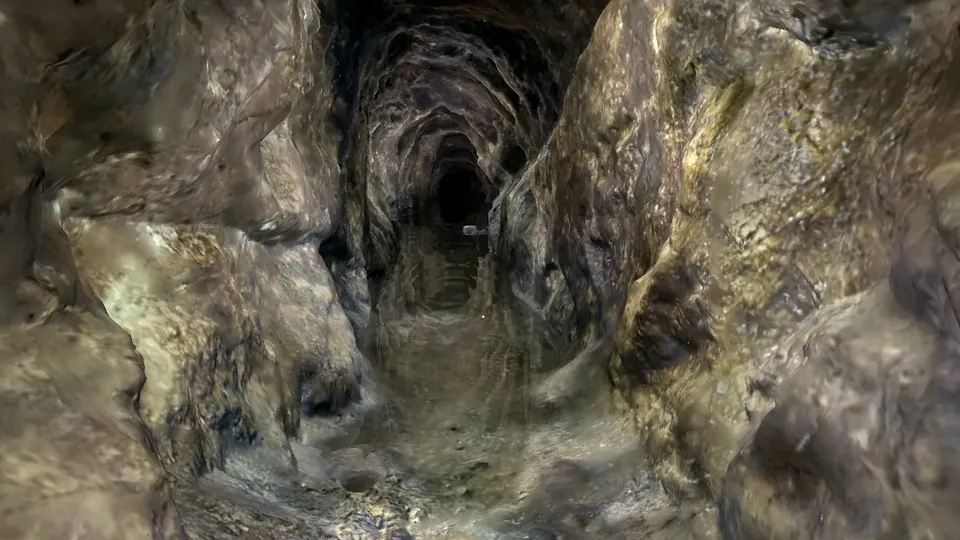
Forty million triangles,
two seconds to first pixel.